


Challenges that appear as your company grows
As business volume grows, companies start facing a number of operational challenges.
Problems with request history
Information about previous customer requests gets lost, so repeat requests take longer than they should. Employees make basic mistakes and duplicate the same actions — problems that could be avoided if they had the full customer request history in front of them.


Lack of statistics
If you don’t measure ticket resolution speed and customer satisfaction, it’s hard to make informed decisions and improve your processes. You simply don’t know where the problem is, what causes it — or who may be behind it.
Low employee productivity
Without a clear control system, it’s difficult to track each employee’s performance, which can noticeably reduce the quality of customer service.
Lost and delayed tickets
Customer requests may get lost or handled too late, making customers frustrated and more likely to complain.
Customer dissatisfaction
Delays and mistakes in request handling lead to complaints and loss of loyal customers.
Lack of transparency for customers
Customers can’t track the status of their requests, which creates extra follow-ups and dissatisfaction.
Solve it with the Upservice ticketing system
As a result, work becomes more transparent, response times improve, and customers get solutions faster.
Upservice is a simple ticketing system that helps automate request handling, assign tickets to employees, and track the status of every request.
All requests in one place
Collect requests from different channels — email, WhatsApp, Telegram, Instagram, telephony, live chat, or a web form on your website — in one system. This helps prevent information loss and gives your team quick access to the full communication history with every customer.
Useful Upservice features
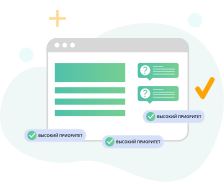
Priorities and deadlines
Need to respond urgently? Set a high priority.
Ready-made reply templates
Save time on common customer questions.
Private internal comments
Ask questions and consult your teammates directly inside the customer conversation — the customer won’t see it.
Reminders
Help your team remember to reply to customers on time.
Analytics and reports
Get detailed reports on support team performance: first response time, average resolution time, and customer satisfaction levels.
The AI assistant can generate and analyze ticket reports, helping you quickly see the most common topics, employee workload, and where time is being lost. This helps improve processes and service quality.
The AI assistant can generate and analyze ticket reports, helping you quickly see the most common topics, employee workload, and where time is being lost. This helps improve processes and service quality.

Mobile app
For convenient work on the go, during business trips, and for field employees, we’ve developed mobile apps for Android and iOS. The apps work even without an internet connection, require no extra payment, and are available to all your employees.
Working with internal company tasks
Collaborate with other departments in your company — sales, accounting, and others. Assign tasks, approve documents and budgets, and share customer information.
Benefits of the Upservice ticketing system for support teams
Higher productivity
Automating routine tasks frees up employees’ time for more complex and important issues.
Better decision-making
Detailed analytics help identify weak points and take action to fix them.

Improved service quality
Fast and efficient ticket handling increases customer satisfaction and strengthens loyalty.
Lower support workload
Transparent processes and self-service ticket status tracking reduce the number of repeat follow-ups.

Flexibility and scalability
The Upservice ticketing system works for companies of any size and easily adapts to specific business needs.

AI assistant inside the ticketing system
No more writing out task details manually. The built-in AI in Upservice can:
No magic — just everyday time savings powered by AI.

Suggest how to structure a commercial proposal or tender application.

Explain to an employee how to solve a task if they don’t know where to start.
Prepare draft emails to customers — from complaint responses to deadline approvals.
Suggest wording for communication with customers, colleagues, or regulatory authorities.

Help translate the essence of a task and colleagues’ comments if they are written in various languages.
Help prepare completion reports, contracts, estimates, and explanatory notes.
Explain company processes to new employees and speed up onboarding.
And much more that modern GPT models can do.
How does the ticketing system work?
1
A customer submits a request by email, through the website, via messenger, or by phone.
2
An employee receives a notification and starts working on the request.
3
During the process, employees can add comments, attach files, and change the ticket status.
4
The customer receives a response and can rate the quality of the solution.
5
Management analyzes reports to improve support team performance.
How a manufacturing company organized its requests and reduced resolution time by 38% in 3 months

Real case study: how a company implemented Upservice
Benefits of implementing a ticketing system
Fast request assignment — customers get responses without delays.
Full control over all tickets — not a single request is left unattended.
Communication history is saved — making it easy to work even with old requests.
Transparent team workflows — you can see who is working on what.
Analytics help improve service quality and speed up resolutions.

Flexibility and convenience
The ticketing system is suitable for companies of any size. It helps small businesses structure their work and helps larger companies automate customer support.
The system runs in the cloud, requires no complex setup, and is available from both desktop and mobile devices.

Answers to the most common questions
A ticketing system is a tool where every customer request becomes a ticket with a status, priority, and assigned owner. In Upservice, this makes work transparent and helps teams respond to customers faster.
You can connect email, WhatsApp, Telegram, telephony, live chat, and web forms. All requests go into one place, where the full communication history is saved.
Yes. Customers can see ticket progress in real time, which reduces repeat follow-ups and lowers the workload for the support team.
Ready-made reply templates, priorities and deadlines, private internal comments, reminders, and analytics with reports on key metrics: response time, average resolution time, and customer satisfaction.
Yes. There are apps for Android and iOS. They are free for your employees and are also suitable for field work.
Yes. Upservice is not limited to customer requests: you can assign tasks between departments, approve documents, and manage projects in one ecosystem.
With centralized processes and reporting, you can see bottlenecks such as response speed, average resolution time, and reasons for repeat requests — and use this data to improve service quality.
Yes. You can start with a free trial and then switch to a paid plan later.
Start using the Upservice ticketing system today
Streamline customer request management and take your service quality to the next level.
Sign up for a free trial and see the benefits of the Upservice ticketing system for your business.