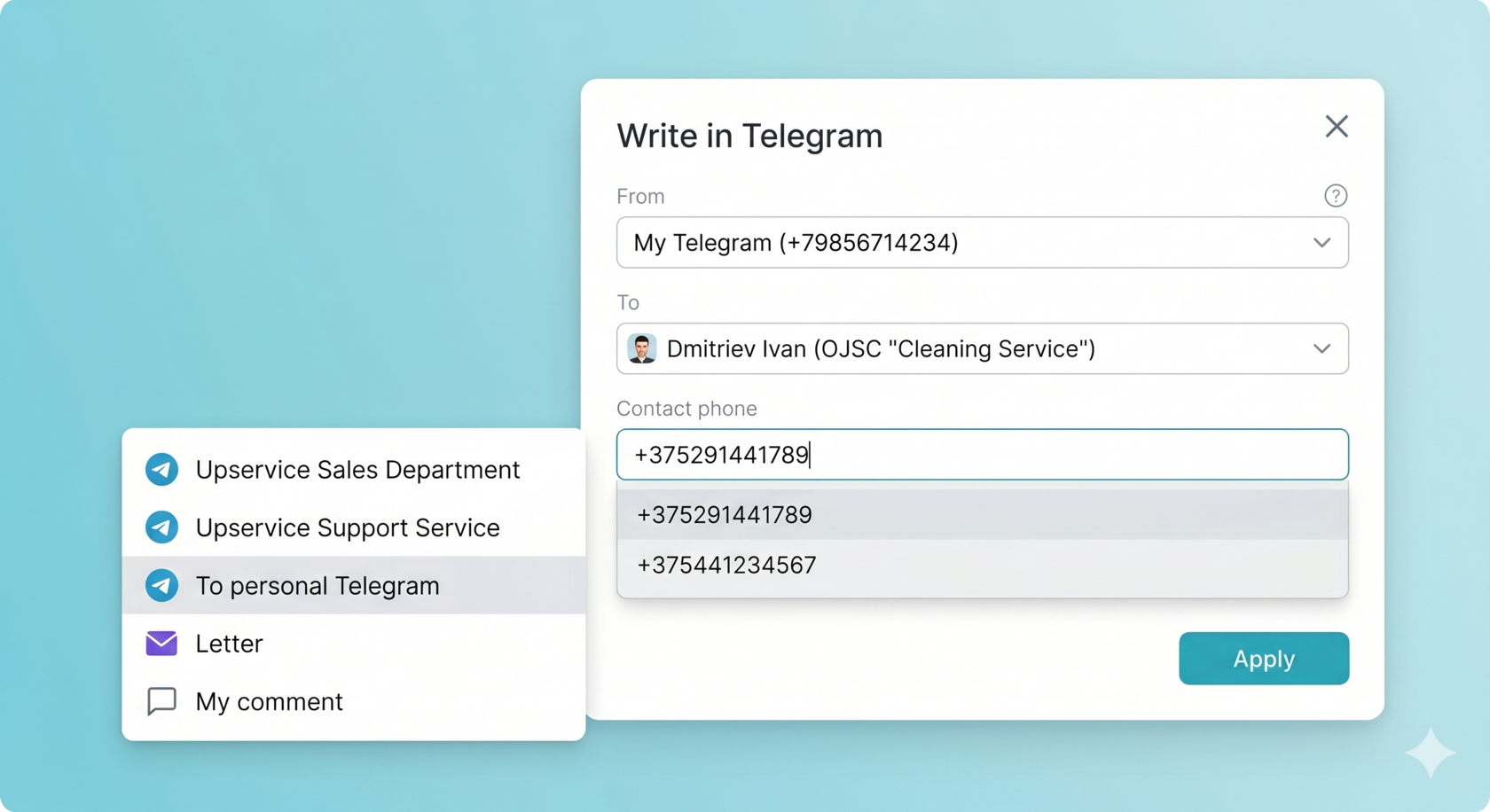
In Upservice, you can specify multiple contact details for a client: several phone numbers and several email addresses. When sending messages, the system takes into account which numbers and emails you have chosen and sends messages exactly through the selected channels.
General behavior when sending messages
When sending a message, the system checks how many contact values are specified and which of them are selected for sending. The further logic depends on whether one number/email or several are specified.
Briefly, the logic looks like this:
· if only one phone number is selected — messages are sent to this number, even if messages previously went to another number;
· if only one email is selected — messages are sent to this email, even if messages previously went to another address;
· if several phone numbers are filled in — when sending, you select the desired number in a modal window, and the message is sent to the selected number;
· if several email addresses are filled in — when sending, you select the desired email in a modal window, and the message is sent to the selected address.
Sending messages with a single phone number
If only one phone number is specified and selected for the client, the system uses it to send all messages via telephone channels. This is true even if messages for this client were previously sent to another number — after selecting a new single number, the system starts sending messages only to it.
Important:
· if one phone number is specified for the client — the modal window for choosing a number when sending messages is not displayed;
· messages are always sent to the single selected phone number.
Sending messages with a single email
Similar logic works for the email address. If only one email is specified and selected for the client, the system uses exactly it when sending messages via the "Email" channel, even if messages were previously sent to another address.
In this case:
· the modal window for choosing an email when sending a message is not displayed;
· messages are sent to the single selected email address.
Choosing a phone number when there are multiple numbers
If the client has more than one phone number specified, the system does not automatically send a message to any number. Instead, when sending a message, a modal window for selecting a phone number is displayed.
In the modal window, you:
- See a list of all available phone numbers of the client;
- choose which number you need to send the message to;
- confirm the choice and sending of the message.
After confirmation, the message is sent to the selected phone number.
Choosing an email when there are multiple addresses
If the client has more than one email address specified, when sending a message via the "Email" channel, the system displays a modal window for choosing an email.
In the modal window, you:
- See a list of all available email addresses of the client;
- Choose which email you need to send the message to;
- Confirm the choice and sending of the email.
After confirmation, the message is sent to the selected email address.
Channels for which phone number and email selection work
The logic for choosing a phone number and email when sending messages does not work for all channels at once, but only for specific communication channels.
Channels for sending messages by email:
· Email — email selection is used when sending messages through this channel.
Channels for sending messages by phone number:
- Telegram Account (Personal Telegram);
- WhatsApp.
When sending messages via the specified channels, the system uses the selected phone number or email in accordance with the logic described above.